Conference Session Credit Ledger
Scan-in and scan-out at every accredited session turned into continuing education credit, with partial attendance held for review.
These images are illustrations of the concept, not screenshots of the actual product.
Overview
Conference Session Credit Ledger is an EventfullyManaged concept for professional bodies and trade associations that award continuing education credit at their conferences. It builds on EventfullyManaged's QR check-in, with scans taken at session doors: each attendee's scan in is designed to be paired with their scan out, the time spent in an accredited session compared with that session's minimum, and credit awarded only where the minimum is met. Credit is designed to follow attendance rather than membership, so non-members who attend an accredited session earn it too.
At a professional body's conference, credit is often reconciled after the event from sign-in sheets and door counts, and the hard cases end up guessed: the attendee who left early, the one who arrived late, the badge scanned in but never out. The concept is designed not to guess. Attendance that falls short of the minimum, and sessions with missing out-scans, are set aside for a reviewer to decide.
The illustrated Session Credit page, under Attendees in the navigation, opens with an event selector for a sample technical forum marked CE accredited and a Workspace selector naming a sample society. Four tiles count accredited sessions, attendees with credit, partial attendance with a needs review badge, and credit posted to BuildMyIQ with a progress bar and percentage. The Sessions table gives each session's room, credit hours, how many scanned in, how many met the minimum, how many were partial, and a status of Posted, Review partials, Out-scans missing or Queued. Sample sessions cover topics such as moisture mapping in older homes, roof assessment after hail, a standard-of-practice update, a report writing clinic and an ethics hour. Beside the table, a Partial attendance panel states the minimum in minutes and lists attendees with their in and out times and minutes attended, or no out-scan, above Approve eligible credit and Decline with note. Names, sessions and figures are sample data.
The design is meant to work with BuildMyIQ, another Burdenoff product. Verified credit for each attendee is designed to be posted to BuildMyIQ and to count there as verified credit toward that person's continuing education cycle, and the Posted to BuildMyIQ tile shows how much has gone across. A note in the review panel says the same and adds that certification status comes from BuildMyIQ; the design envisions the ledger reading each attendee's certification status from there rather than keeping its own. EventfullyManaged is designed to keep the evidence, meaning the paired scans and the reviewer's decision, while BuildMyIQ is designed to hold each person's continuing education cycle.
What this concept shows
- Event selector with a CE accredited badge and a Workspace selector for the organizing society
- Tiles for accredited sessions, attendees with credit, partial attendance needing review and credit posted to BuildMyIQ
- Sessions table with room, credit hours, scanned in, met minimum, partial and status for each accredited session
- Each attendee's scan in and scan out paired and compared with the session's minimum time
- Posted, Review partials, Out-scans missing and Queued statuses, with the session under review highlighted
- Partial attendance panel listing in and out times and minutes attended, including attendees with no out-scan
- Approve eligible credit and Decline with note actions, so short attendance is decided by a reviewer rather than guessed
- Verified credit designed to post to BuildMyIQ continuing education cycles, with certification status from BuildMyIQ
How it works
- Choose the accredited event and the society's workspace to open the Session Credit ledger.
- Read the tiles for accredited sessions, attendees with credit, partials needing review and credit posted to BuildMyIQ.
- Scan the Sessions table for rows marked Review partials or Out-scans missing.
- Open a session's partial attendance to compare each attendee's in and out times with the minimum.
- Approve eligible credit, or decline with a note where the minimum was not met.
- Let verified credit post to BuildMyIQ, where it is designed to count toward each holder's continuing education cycle.
Who it's for
- Continuing education and accreditation managers
- Conference and education directors at professional bodies
- Certification and member services staff
- Association event organizers
- Credit reviewers
Illustrations
1 illustration of this concept. Select one to view it full size.
Session Credit Ledger with Partial Attendance Review
This illustration shows the Session Credit page with Attendees selected in a left navigation that also lists Dashboard, Sponsors, Events, Speakers, Vendors, Reports and Settings, with a sample team member at the foot. An event selector names a sample technical forum beside a CE accredited badge, and a Workspace selector on the right names a sample society. Four tiles give accredited sessions, attendees with credit, partial attendance with a needs review badge, and credit posted to BuildMyIQ with a progress bar and percentage. The Sessions table has session, room, credit, scanned in, met minimum, partial and status columns; statuses include Posted, Review partials on a highlighted row, Out-scans missing with dashes for met minimum and partial, and Queued. The Partial attendance panel states a sample minimum in minutes and lists attendees with in and out times and minutes attended, one with no out-scan. A note says credit counts toward BuildMyIQ continuing education cycles, with certification status from BuildMyIQ, above Approve eligible credit and Decline with note buttons.
Topics
- continuing education credit tracking
- CE credit conference attendance
- session attendance verification
- CEU tracking for associations
- scan in scan out attendance
- accredited session credit
- CPD credit tracking
- partial attendance review
- trade association conference software
- professional body event management
- continuing education ledger
Related concepts
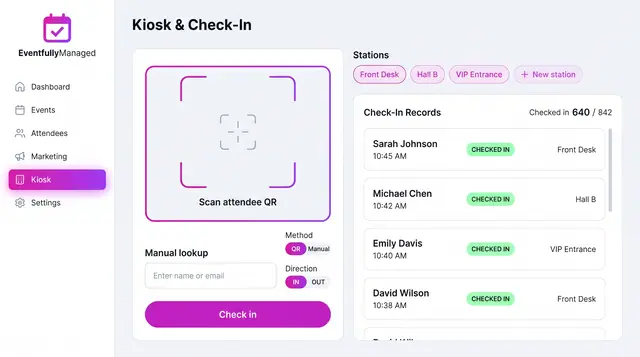
QR Check-In Kiosk
Scan attendee QR codes or look people up by name across named stations, with a live feed of check-ins against registrations.
1 illustration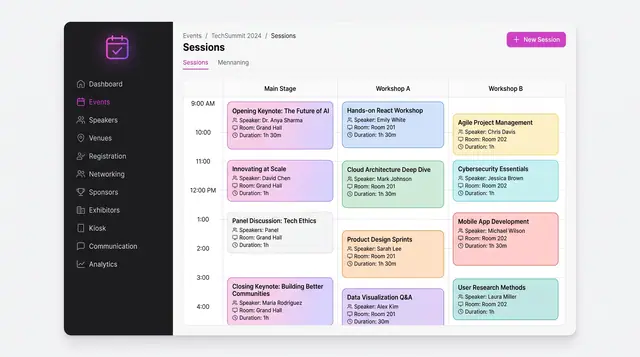
Agenda, Sessions and Speakers
A multi-track schedule grid, conflict checks raised while a session is being written, and a speaker roster that feeds both.
3 illustrations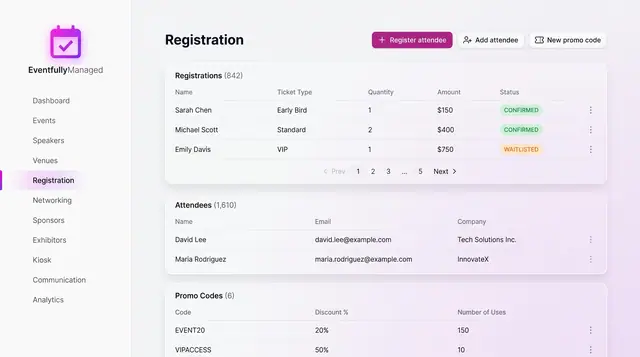
Registration and Attendee Sign-Up
See registrations and attendees in one place, and sign people up through a guided flow with ticket choice, promo codes and a total.
2 illustrations
Part of an industry solution
This concept appears in a cross-product solution on burdenoff.com — see how it works alongside other Burdenoff products to solve a problem in that industry.